Sending invoices via Peppol
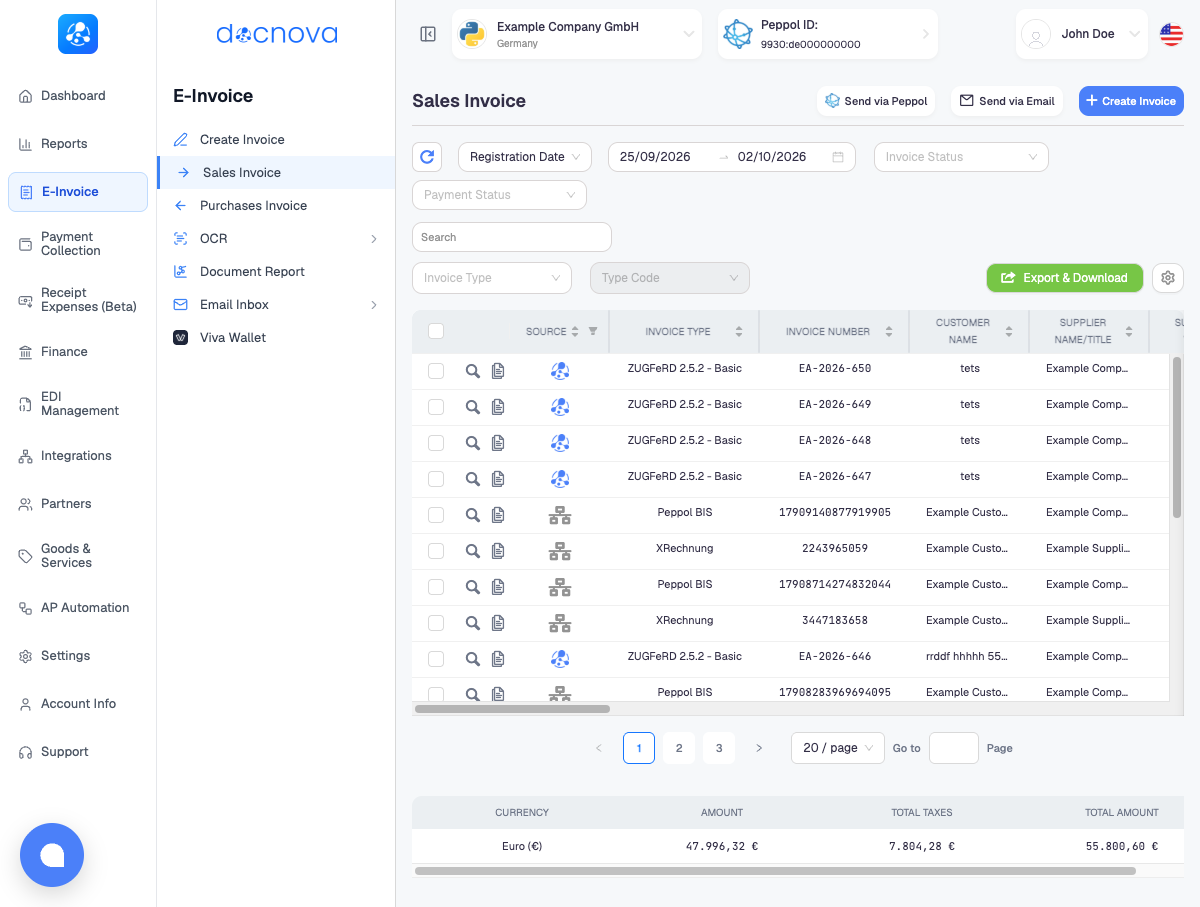
Peppol delivers an invoice directly into the buyer's accounting system, as structured data, with no PDF and no mailbox in between. In Docnova you send it from E-Invoice > Sales Invoice with the Send via Peppol button.
Before you start
Sending only works when both ends of the invoice are on the Peppol network.
- Your company is registered and approved. The company's Peppol registration must be Approved. If it is not, Docnova does not send; it shows a message that your company is not registered or that the registration is still being processed. See Join Peppol.
- The buyer is reachable on Peppol. The customer needs a Peppol ID. If you are not sure, check Partners and Peppol reachability first.
- The invoice is in a Peppol format. Invoices created as XRechnung or Peppol BIS (UBL) can go out. Invoices saved as PDF or ZUGFeRD cannot, because they are not delivered as Peppol documents. Send those by e-mail instead.
- It has not been sent yet. An invoice already marked Sent via Peppol is skipped.
The Invoice Status column tells you where you stand before you click anything. Saved as ZUGFeRD or Saved as PDF means the invoice is not eligible for Peppol; Sent via Peppol means it has already gone.
Send one or several invoices
- Open E-Invoice > Sales Invoice.
- Tick the checkbox at the start of each invoice you want to send. Select as many as you need.
- Click Send via Peppol at the top right of the list.
- Docnova sends every suitable invoice in the selection and reports the result for each invoice number.
- The list refreshes. Invoices that went out now show Sent via Peppol in the Invoice Status column.
You can also open a single invoice and send it from its detail view; the button appears there only when the invoice is eligible.
When nothing in your selection is suitable
If none of the selected invoices can be sent, or you clicked the button without selecting anything, Docnova shows this notice instead of sending.
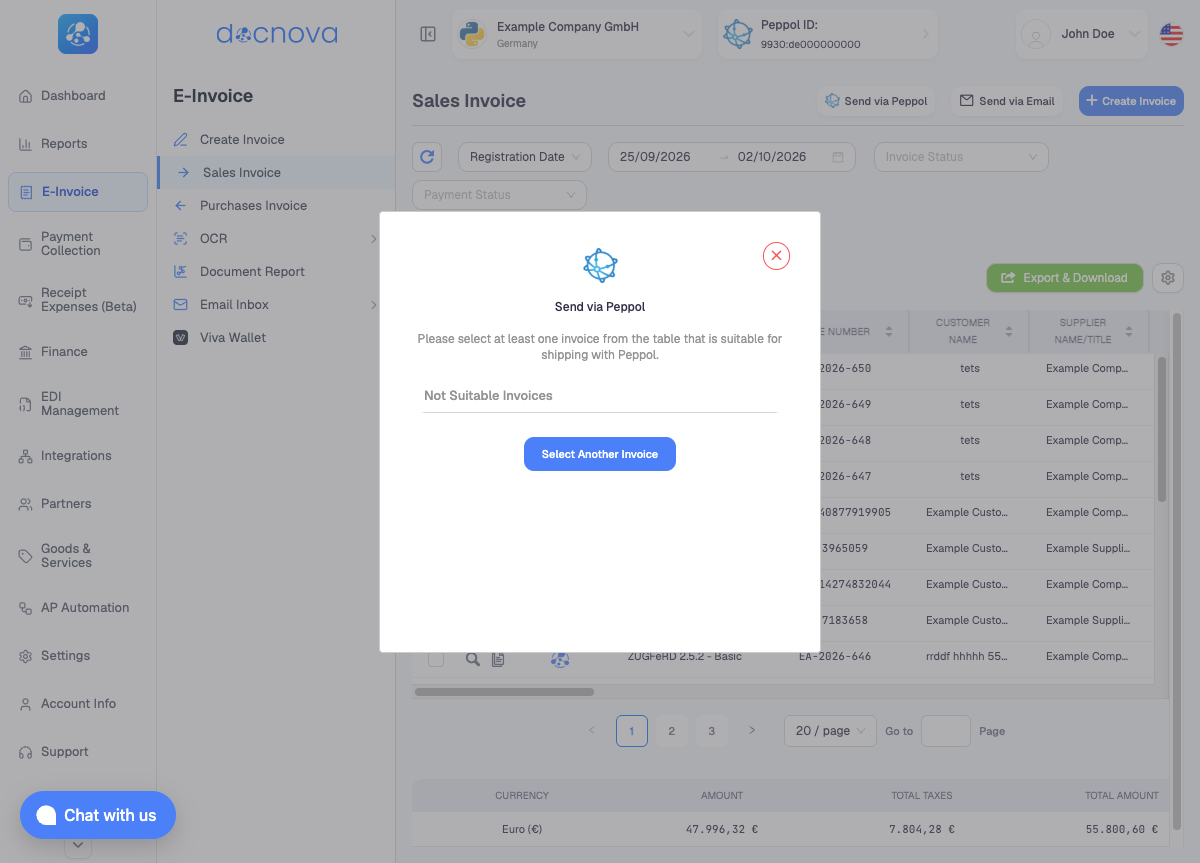
Click Select Another Invoice, close the notice, and pick invoices that meet the conditions above.
If only some of the selected invoices are suitable, Docnova lists the ones that will not be sent and asks whether to continue. Confirming sends the suitable ones and leaves the others untouched.
Reading the result
Each invoice is reported on its own, so one failure does not stop the others.
| Result | What it means |
|---|---|
| Success message with the invoice number | The invoice was handed to the Peppol network and its status is now Sent via Peppol. |
| Error message with the invoice number | That invoice was not sent. The message says why, for example the company's Peppol registration is not approved or the company has no valid Peppol ID. Fix the cause and send again. |
Sent via Peppol means the invoice left Docnova for the network. Confirmation from the buyer's side follows afterwards, so a freshly sent invoice may not show a final response yet.
Peppol or e-mail?
Use Peppol whenever the buyer can receive it: it is faster, needs no mailbox and gives you a delivery trail. Use e-mail for buyers who are not on Peppol or who expect a PDF. The two are not exclusive; the same invoice can be e-mailed as a courtesy copy as well.