Create a credit note
A credit note cancels or reduces an invoice you have already sent. A sent invoice cannot be edited or deleted, so the correction is always a new document — the credit note — that refers back to the original invoice.
Create it from the original invoice
This is the fastest way: the credit note starts with the buyer, lines and amounts of the original invoice.
- Open E-Invoice > Sales Invoice.
- Find the invoice you want to credit and click the magnifier icon at the start of its row.
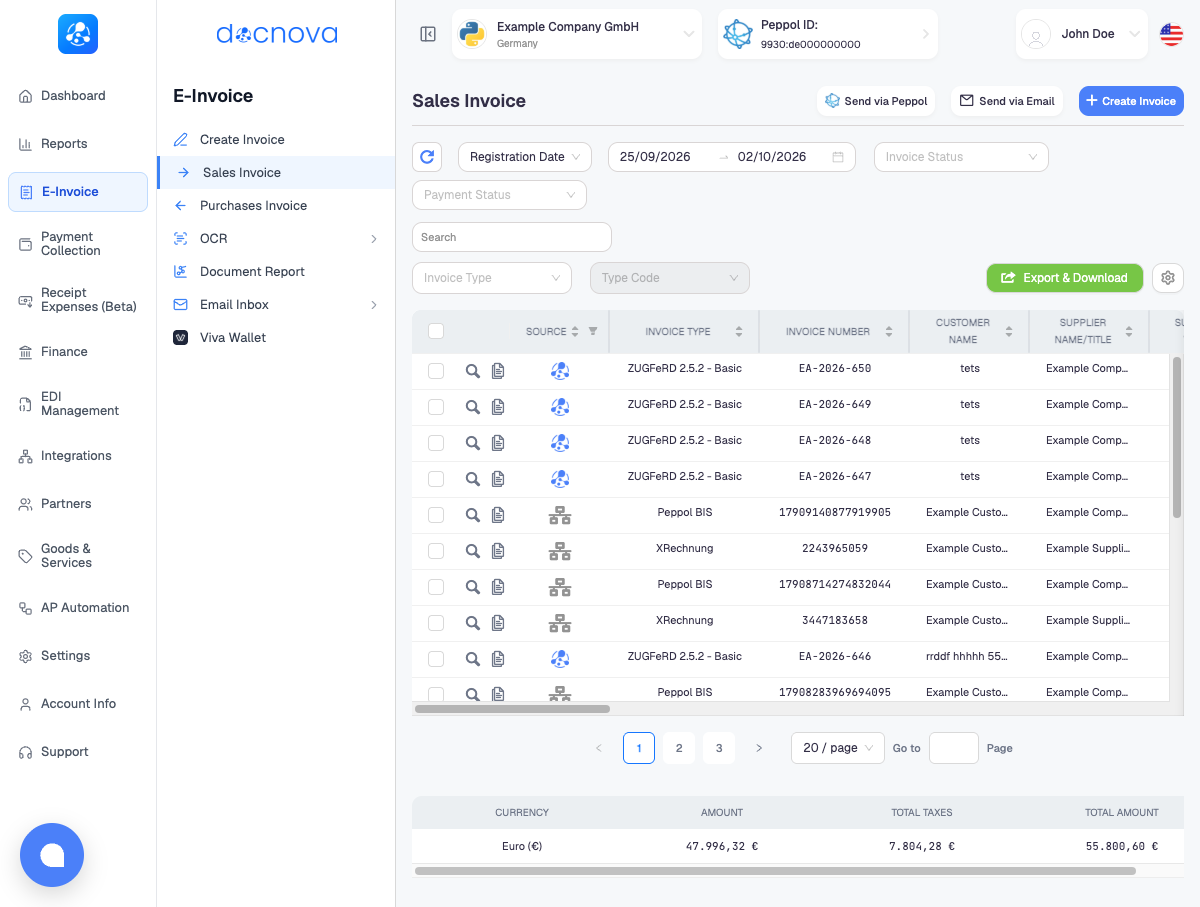
- In the toolbar of the invoice window, click the copy icon. Its tooltip reads Duplicate: new invoice from this one, with a new number and date. The invoice form opens, prefilled from the original invoice.
- In Invoice Type Code, select Credit Note (Code 381). The field is then labelled Credit Note Code.
- Fill in the two reference fields that appear:
- Billing Reference ID: the number of the original invoice.
- Billing Reference Issue Date: the issue date of the original invoice.
- Keep the lines and amounts you are crediting (see below), check the totals and send the credit note the same way you send an invoice.
Create it from scratch
You can also open Easy Invoice, select Credit Note (Code 381) in Invoice Type Code and fill in the buyer, the lines and the two Billing Reference fields yourself. Starting from the original invoice avoids typing mistakes in the buyer details, so prefer it when the original is in Docnova.
Full or partial credit
- Full credit, to cancel the invoice: keep the same lines and amounts as the original invoice.
- Partial credit, for example a discount or returned goods: keep only the lines or the amount you are giving back.
Enter quantities and amounts as positive numbers. The document type Credit Note already tells the receiver that the amounts are credited.
Billing Reference ID is required on a credit note: it is what links the credit note to the original invoice, so the receiver can match the two. Do not send a credit note as a normal invoice (Code 380) with negative amounts.
The BASIC-WL profile has no field for the original invoice reference, so the two Billing Reference fields do not appear for it. BASIC-WL is not a compliant German e-invoice anyway; create the credit note in XRechnung or ZUGFeRD EN 16931. See XRechnung, ZUGFeRD and choosing a format.
After you send it
The credit note is a document in its own right. You find and track it under E-Invoice > Sales Invoice like any other invoice. The original invoice stays unchanged and keeps its own history.
Send the credit note through the same channel as the original invoice: Peppol for XRechnung and Peppol BIS, e-mail for ZUGFeRD and PDF.