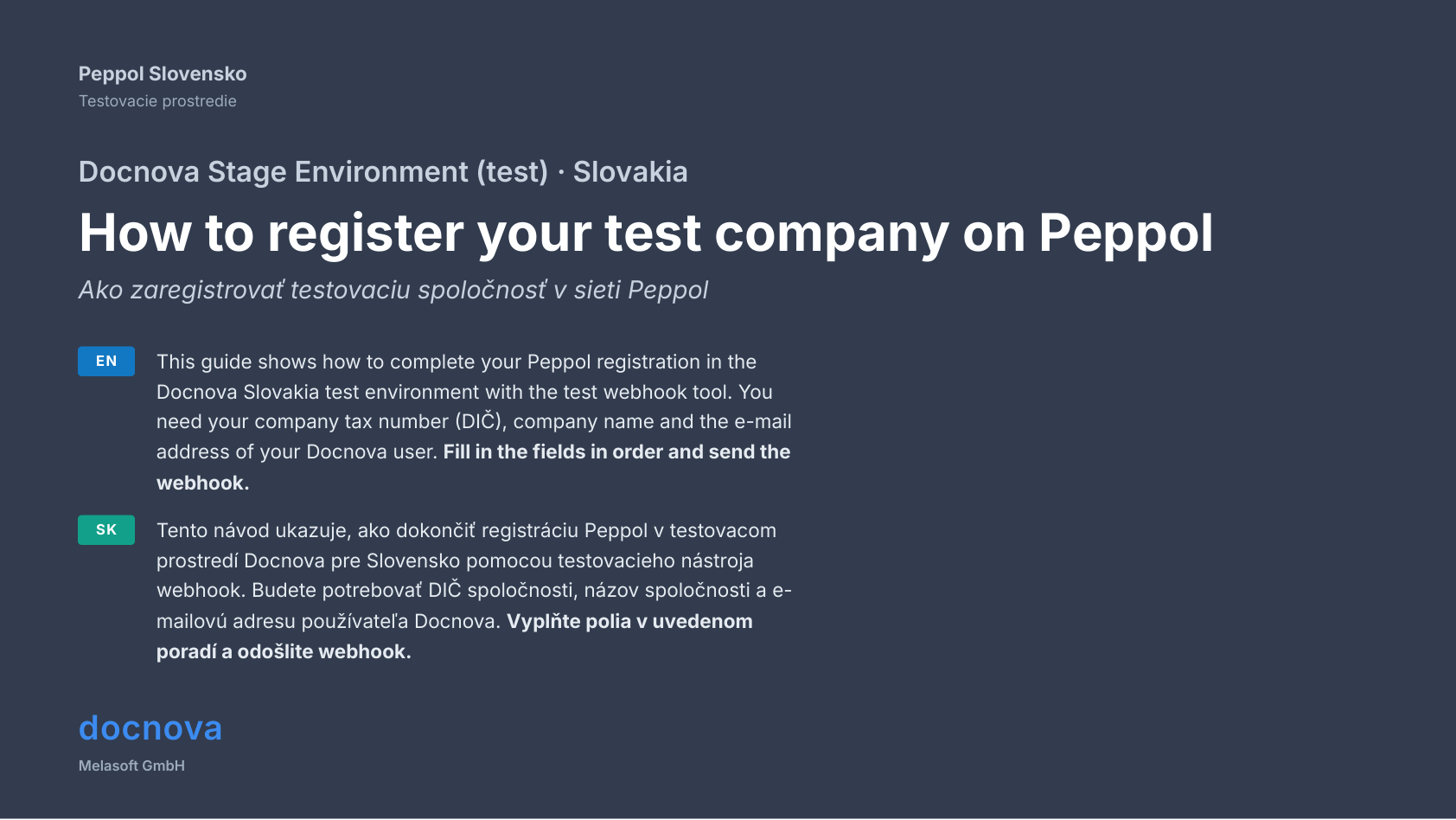
How to register your test company on Peppol
This guide shows how to complete your Peppol registration in the Docnova Slovakia test environment with the test webhook tool.
Step 1: Open the test webhook tool
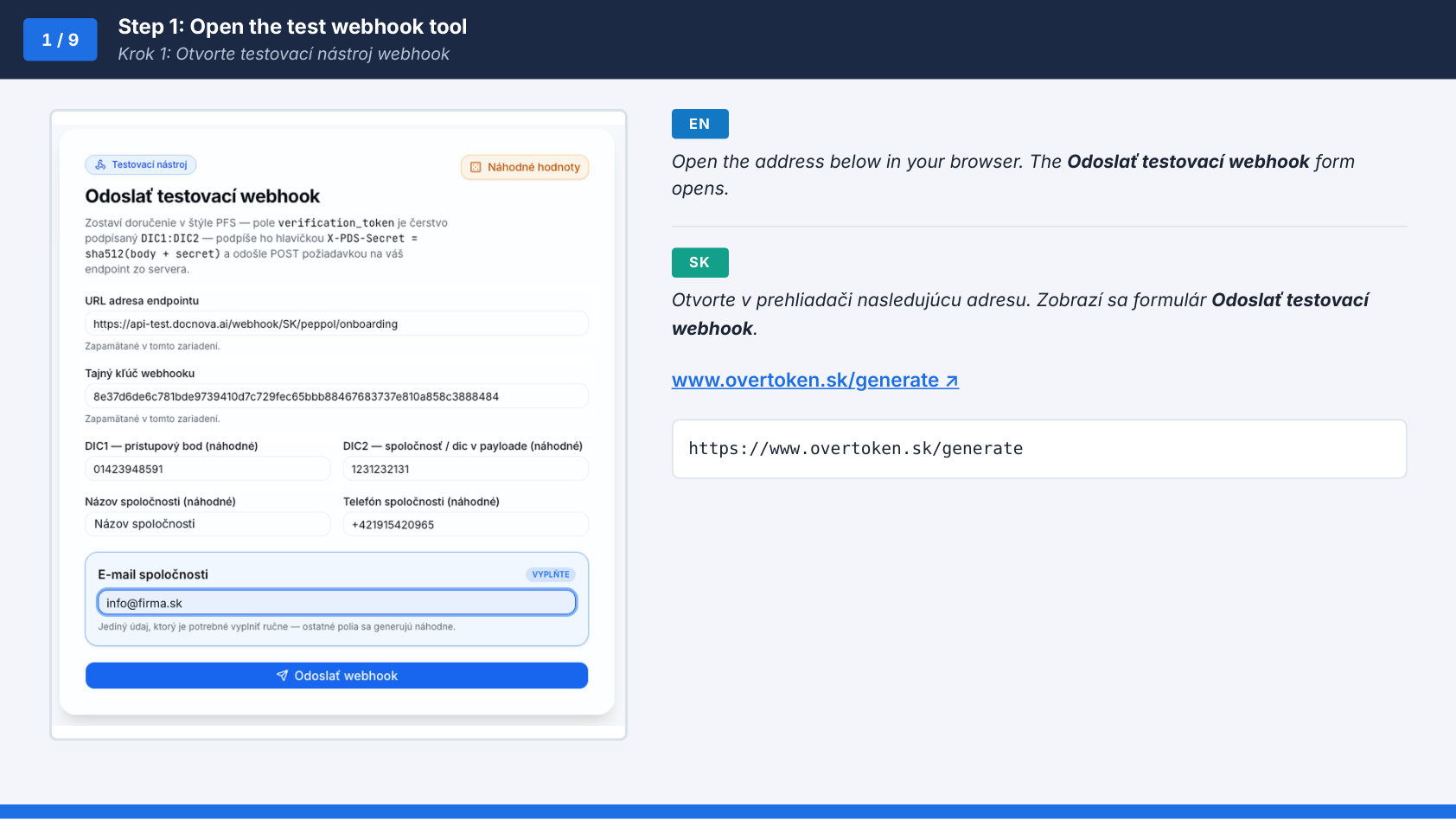
https://www.overtoken.sk/generate
Step 2: Enter the endpoint URL
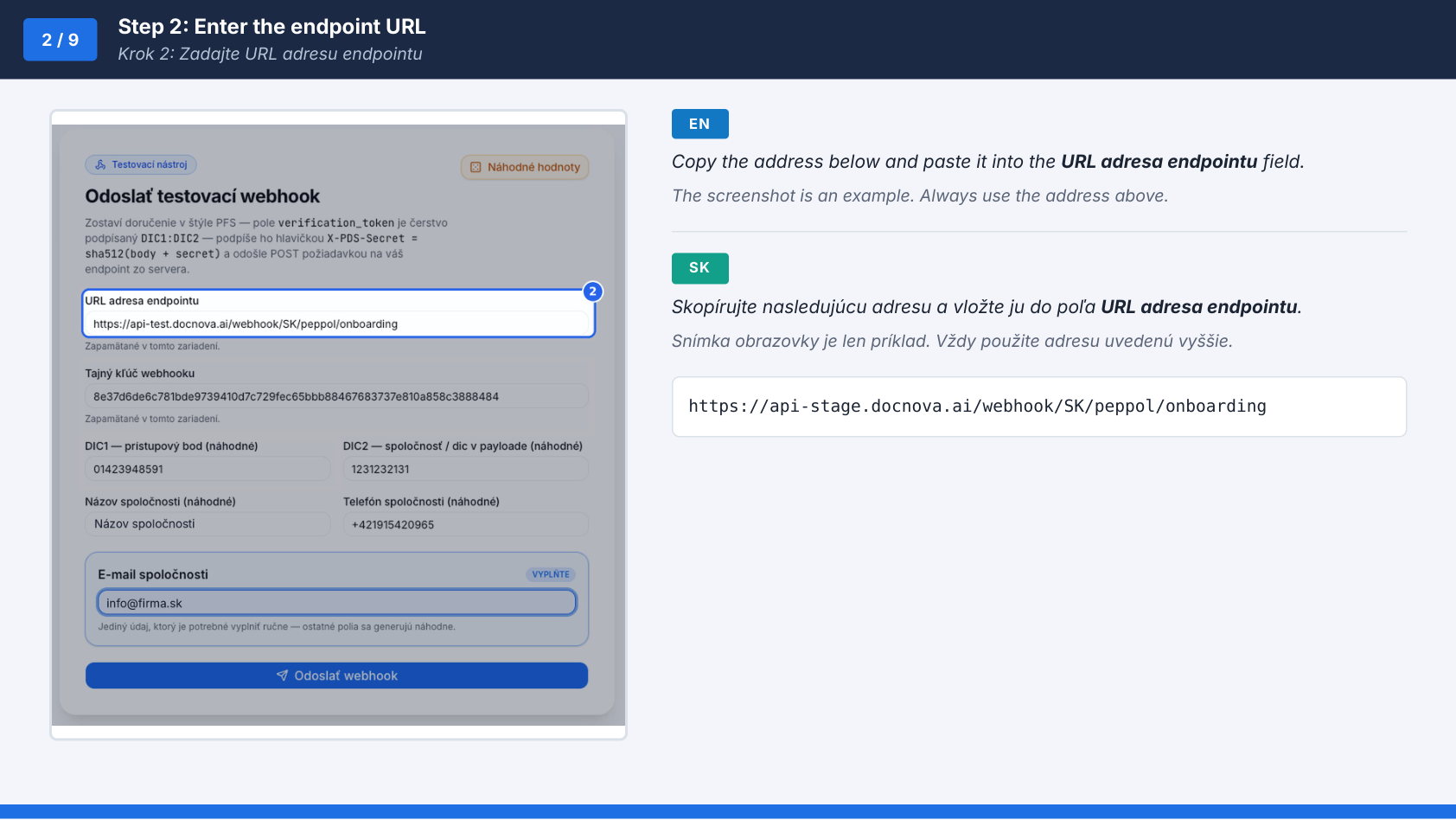
https://api-stage.docnova.ai/webhook/SK/peppol/onboarding
Step 3: Enter the webhook secret
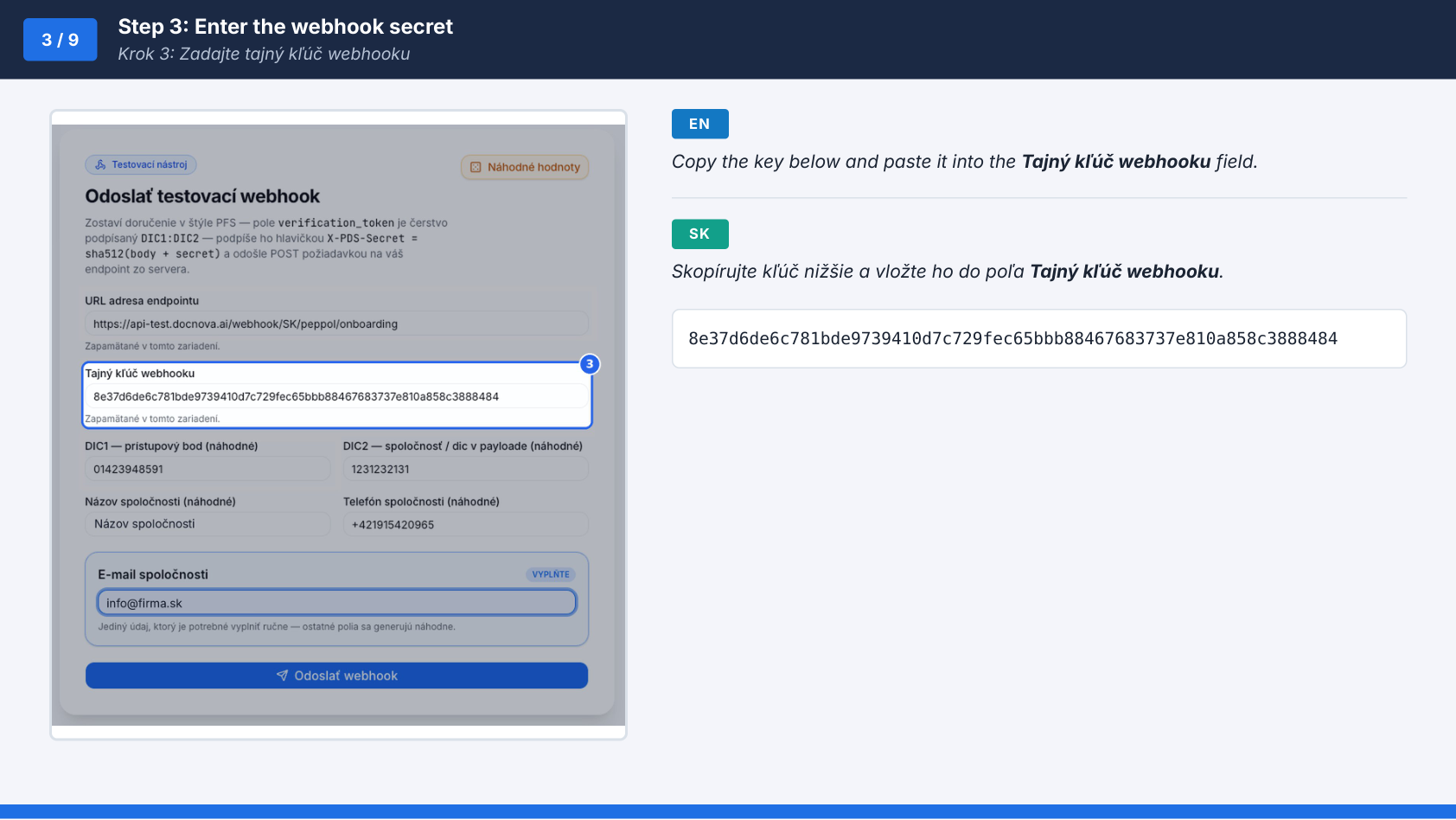
8e37d6de6c781bde9739410d7c729fec65bbb88467683737e810a858c3888484
Step 4: Enter DIC1 (access point)
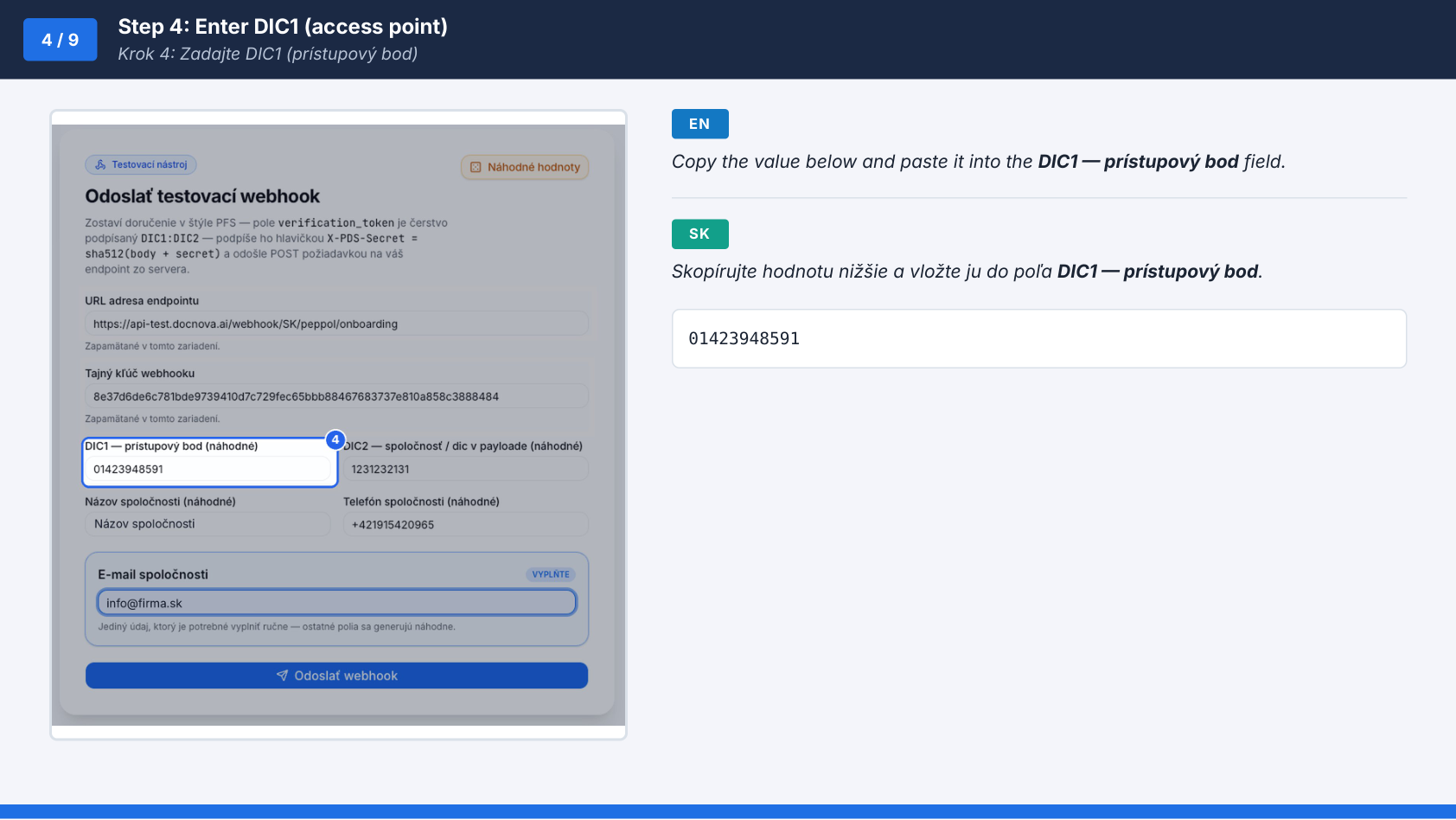
01423948591
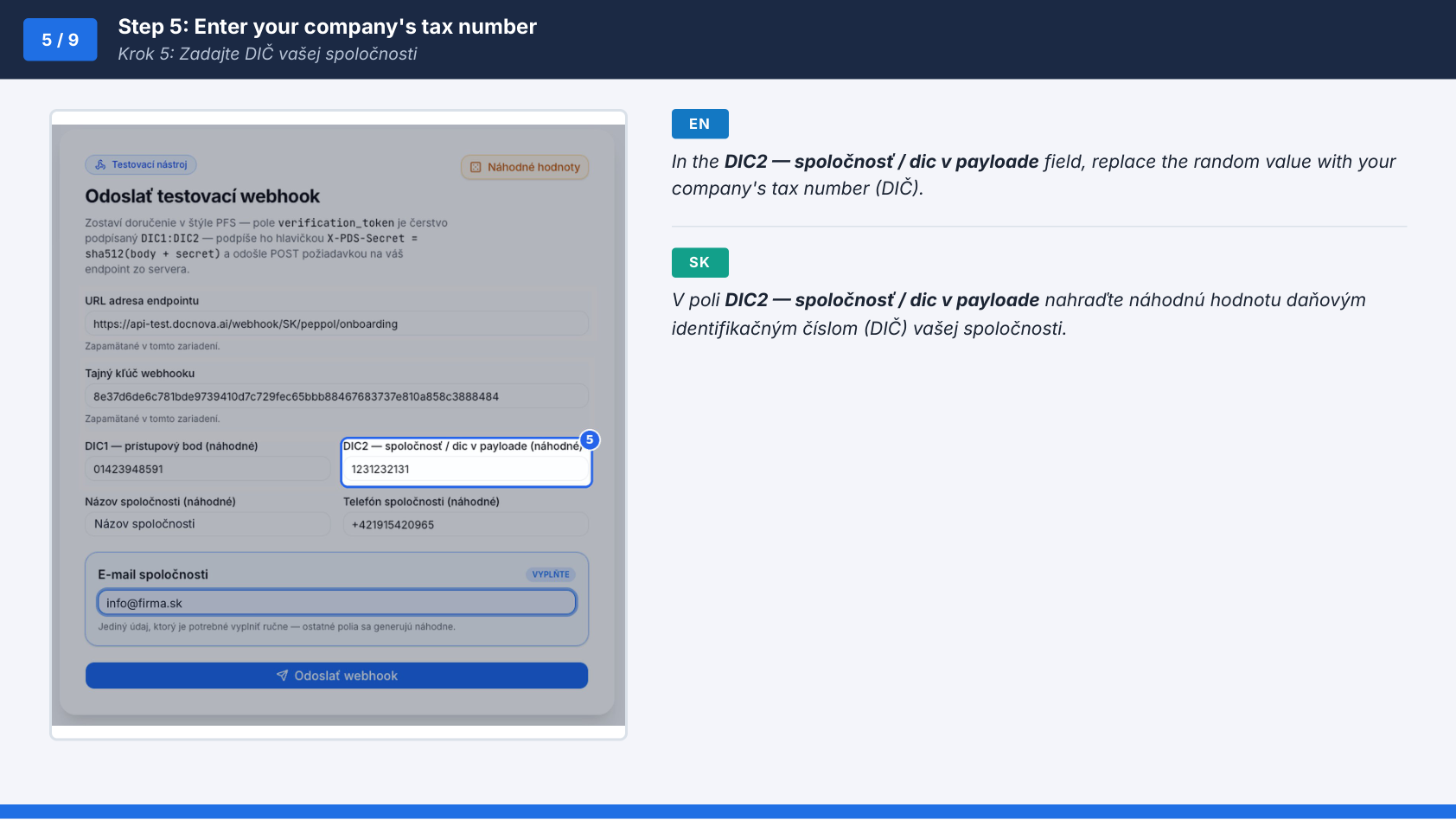
Step 5: Enter your company's tax number
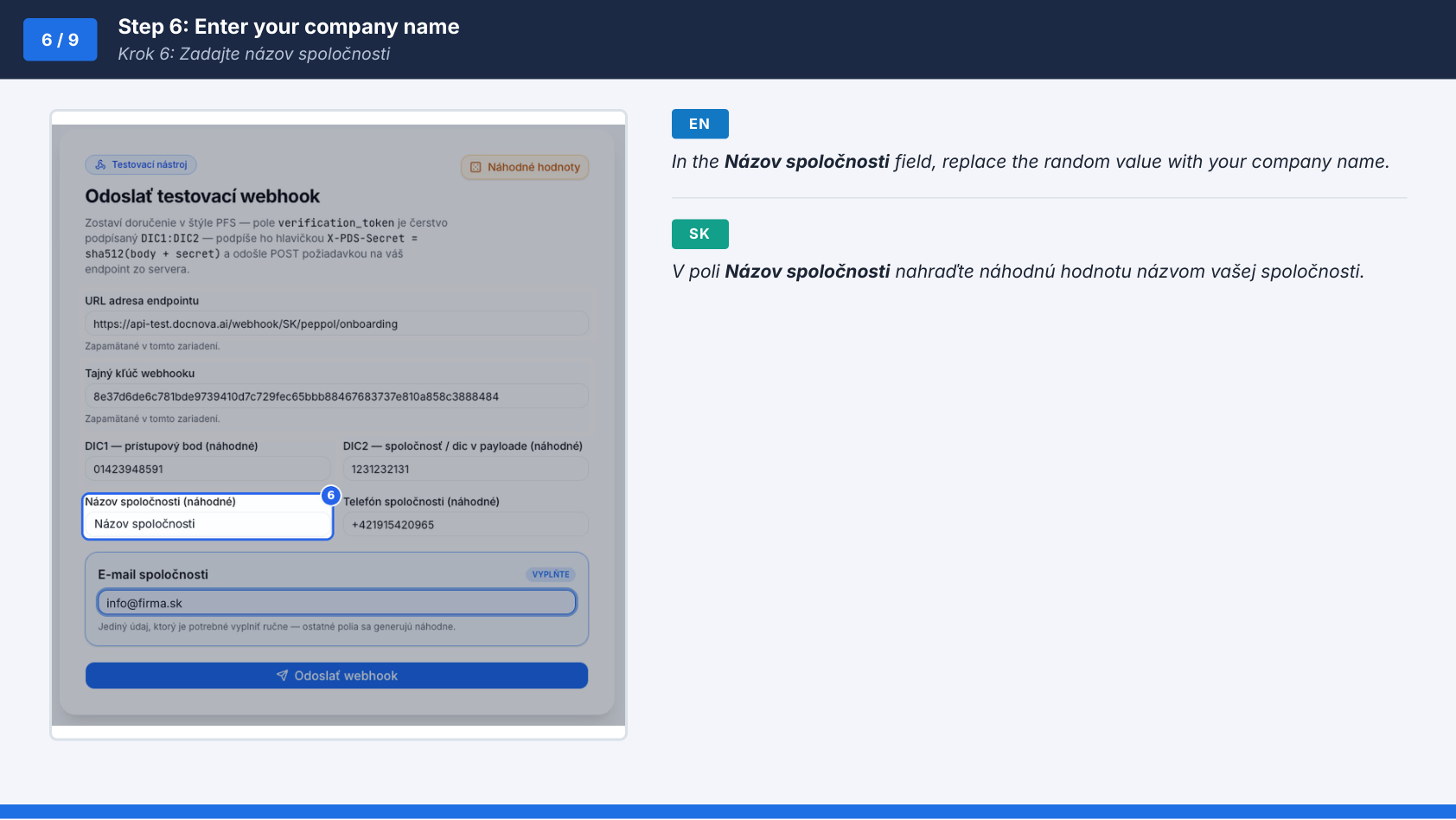
Step 6: Enter your company name
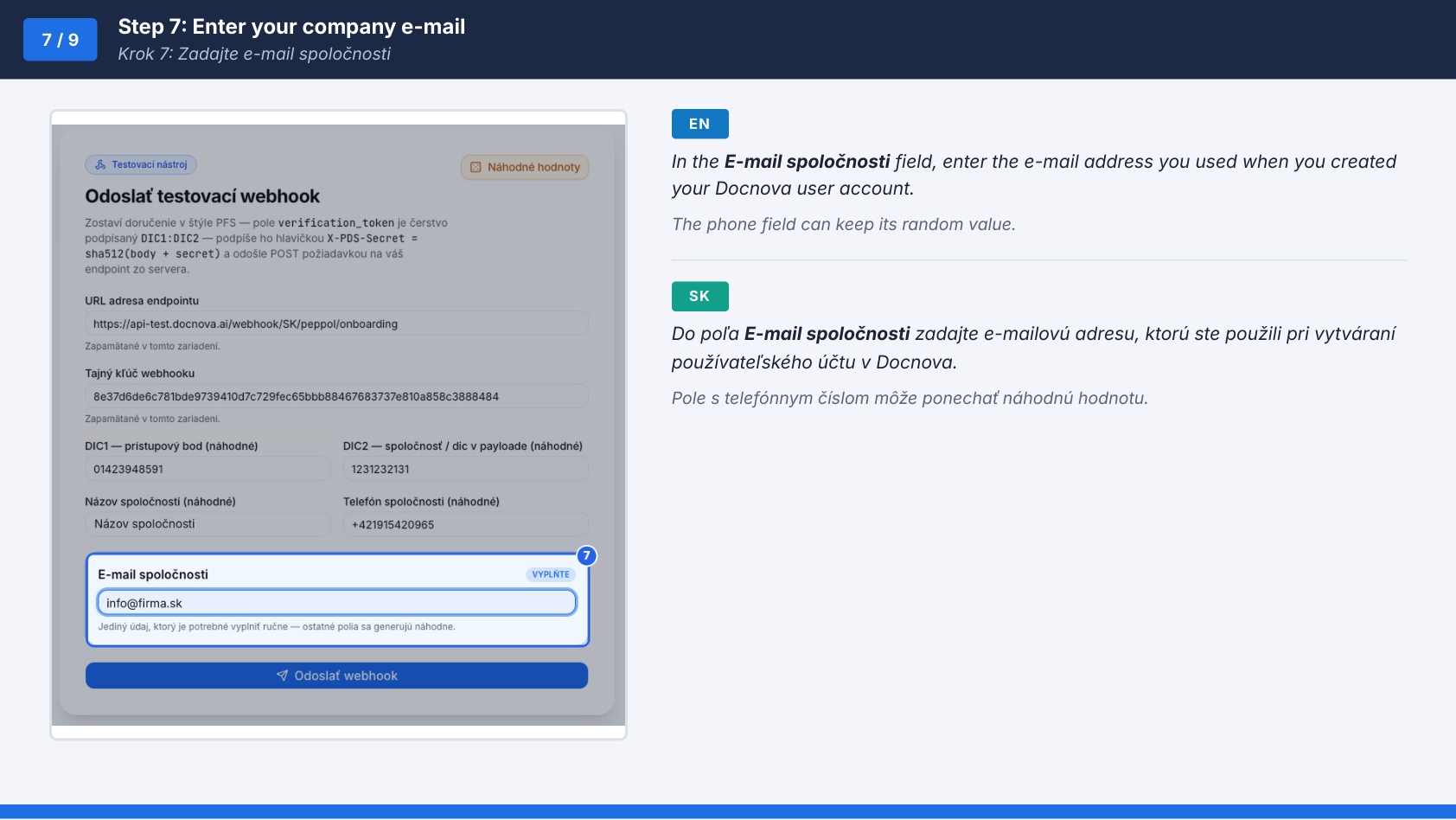
Step 7: Enter your company e-mail
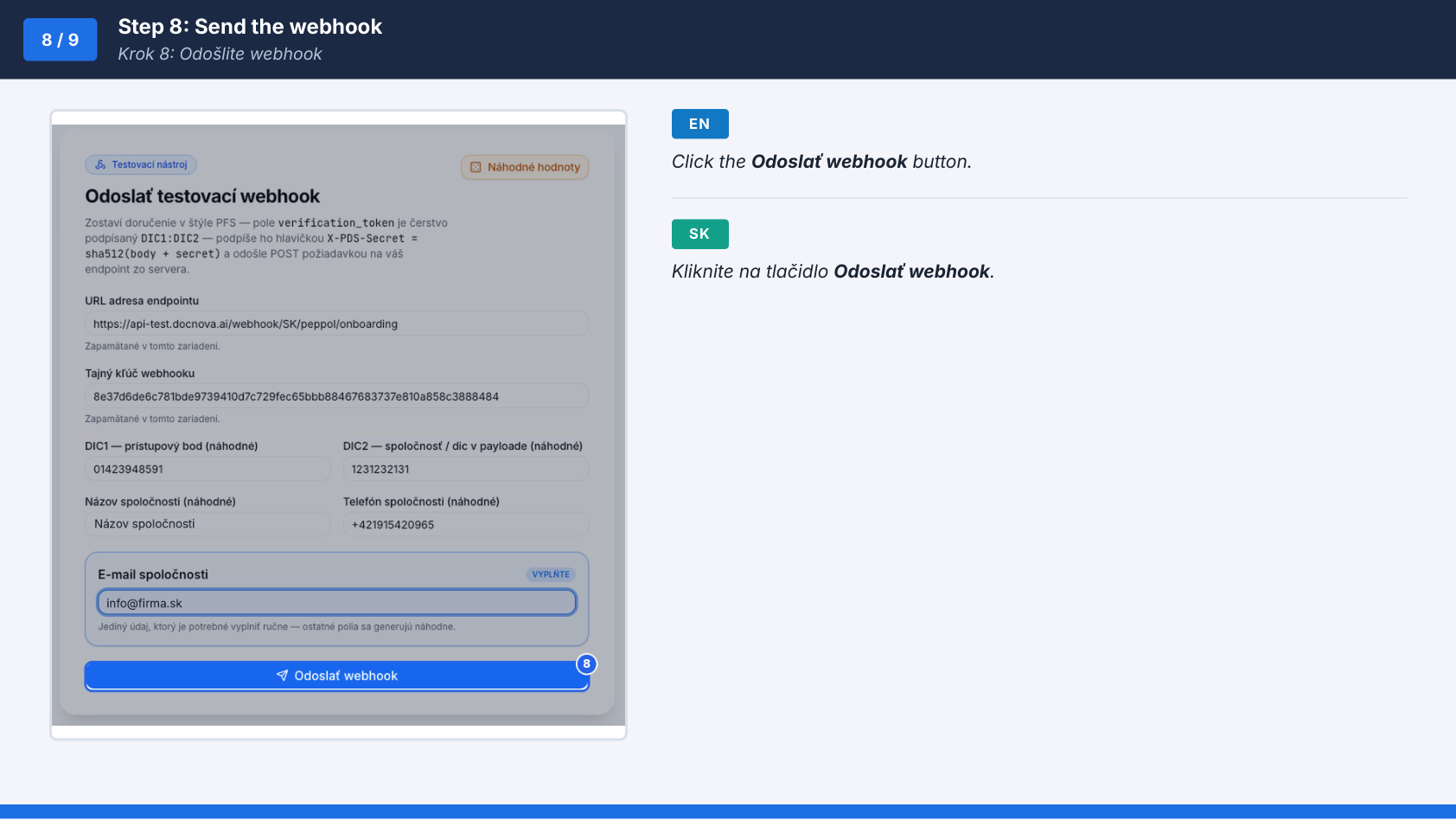
Step 8: Send the webhook
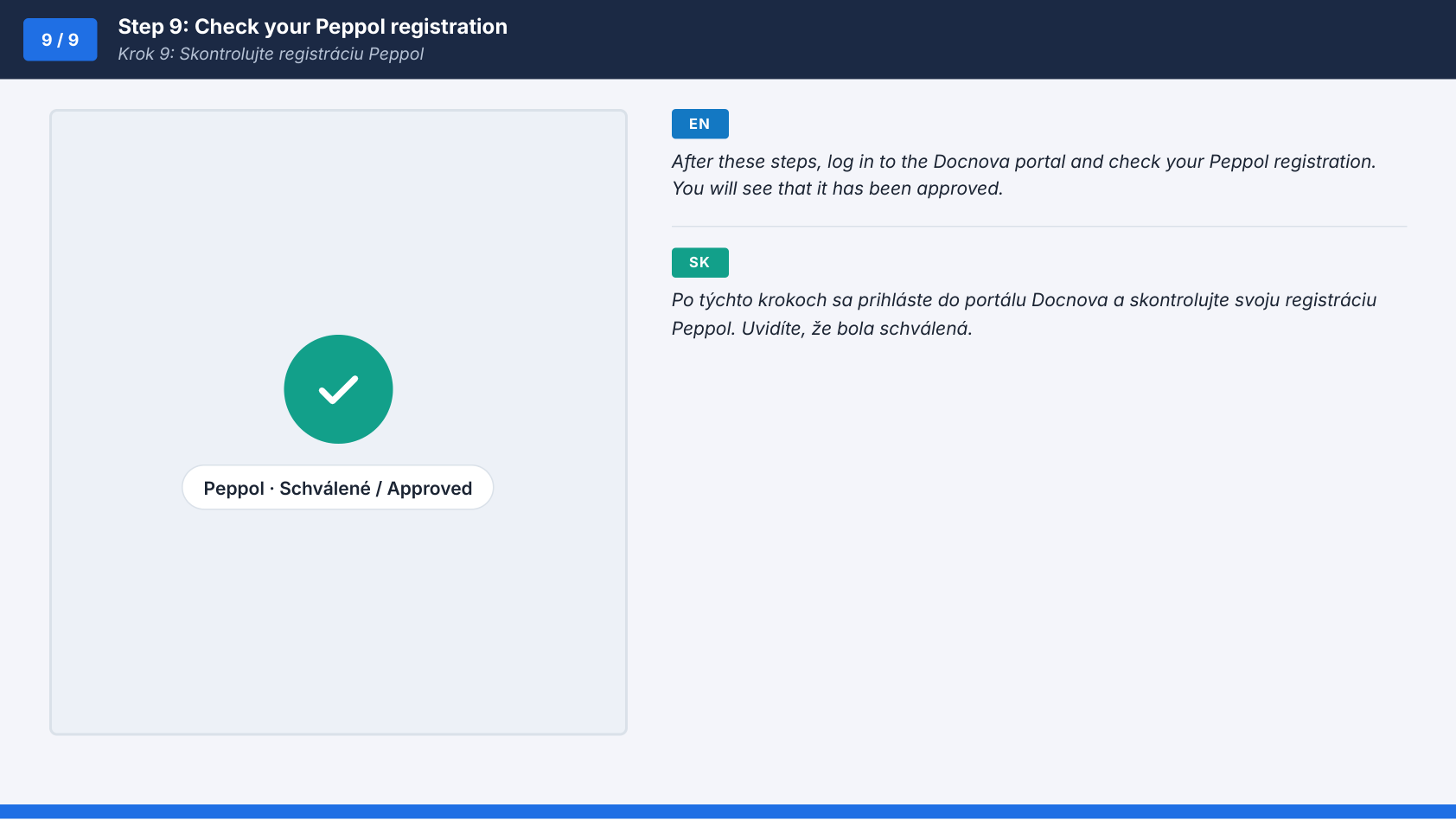
Step 9: Check your Peppol registration
You can also download the full guide as a PDF.
Open PDF Guide