Moving Your Registration Away from Docnova
If you need to move your Peppol registration away from Docnova to another provider, or remove it entirely, follow these steps:
- In the left-hand menu, click Settings.
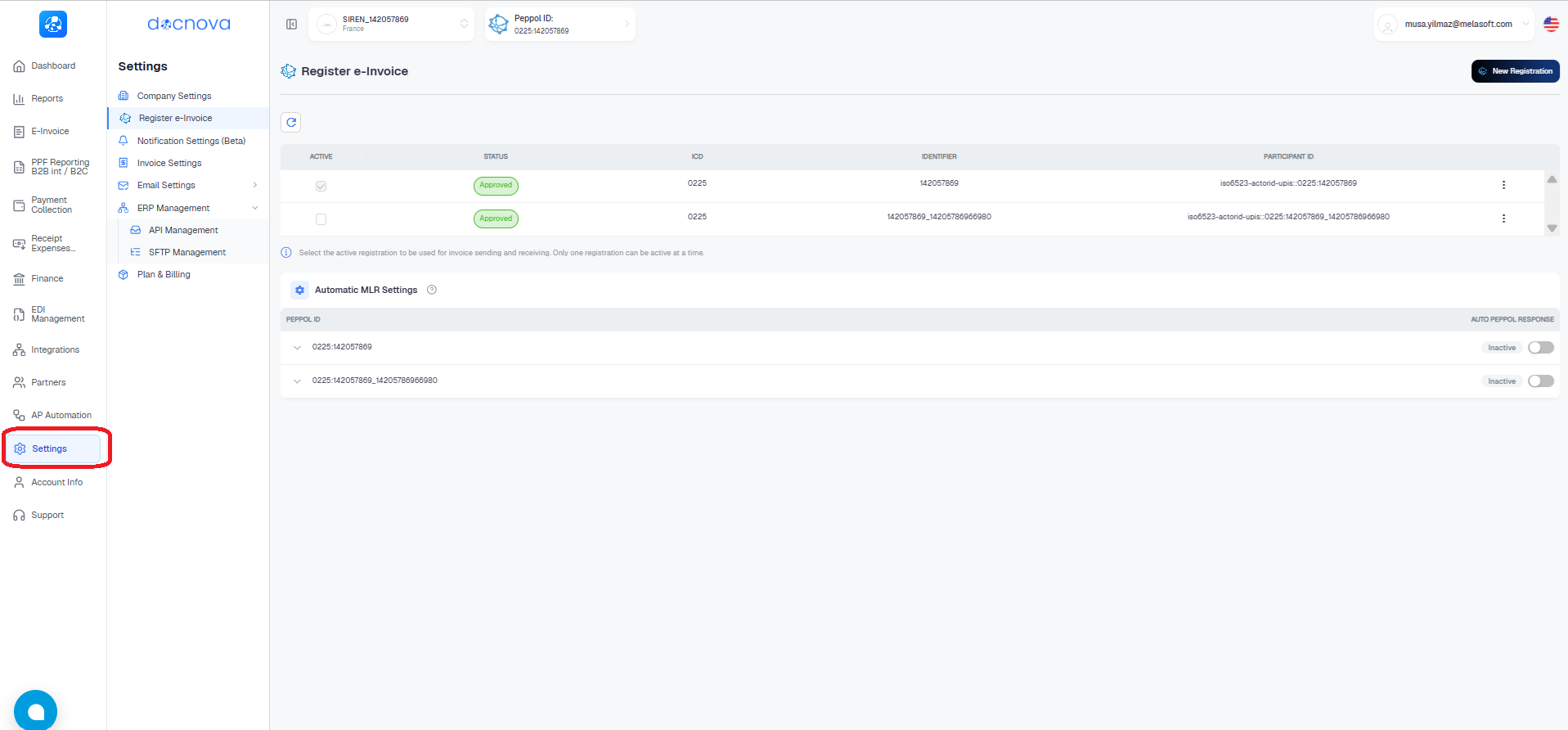
- On the Register e-Invoice page, find your approved Peppol Participant ID in the list.
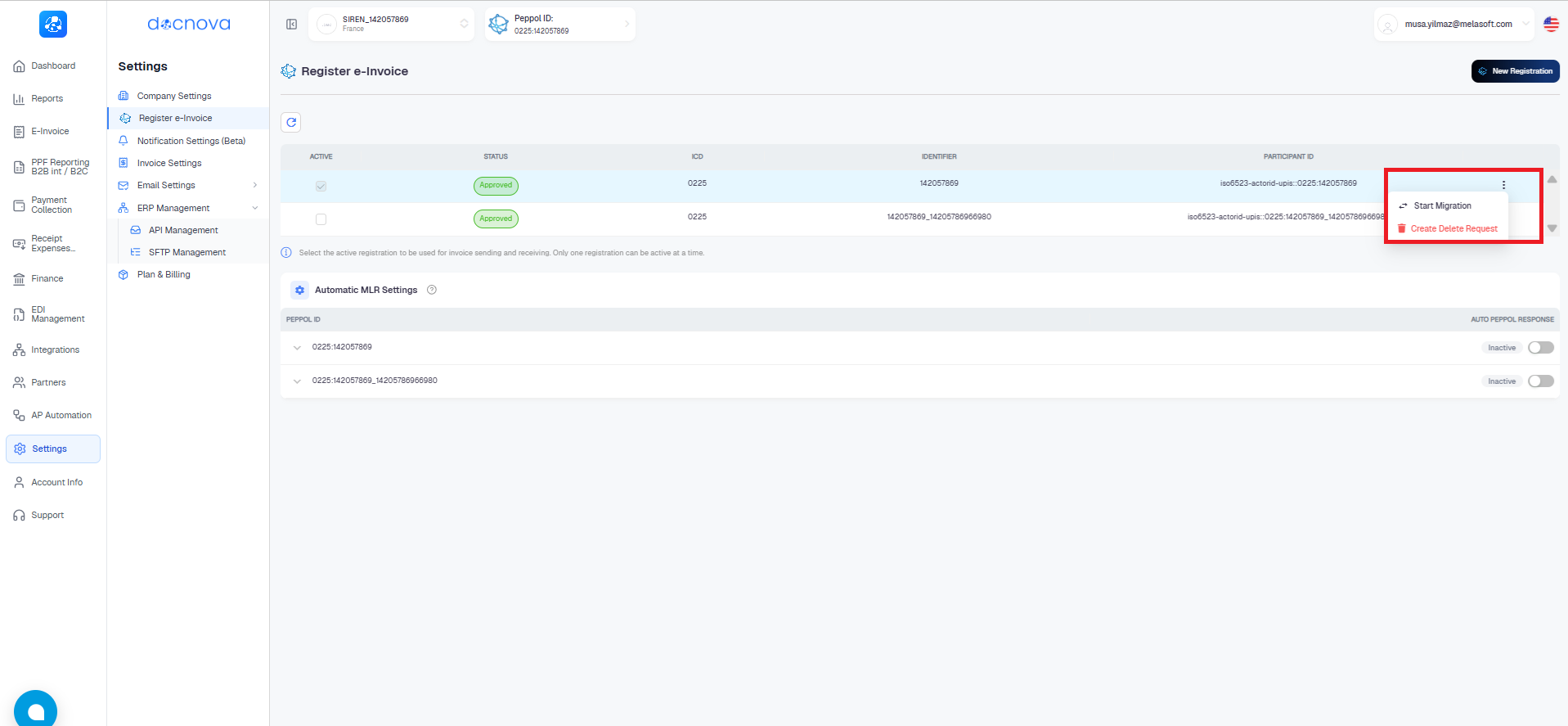
- Click the three-dot menu (⋮) on the right side of that row.
- Choose one of the two options:
- Start Migration — generates a one-time migration key that your new provider will use to complete the transfer.
- Create Delete Request — permanently removes the participant record from the Peppol network.
- If you choose Start Migration, confirm in the dialog by clicking Yes, generate key.

Important
This action cannot be undone. The migration key is one-time use and expires in 30 days. Until the migration is completed by the receiving provider, your participant remains active on Docnova.