Formal Agreement (Accord Formel)
Before your company can be created in Docnova, you'll need to complete a short Formal Agreement (Accord Formel) step. This is required by AIFE's Plateforme Agréée designation process — it identifies which situation applies to you and captures a signed, legally binding agreement naming Melasoft as your Plateforme Agréée (PA).
What you will learn:
- How to choose the situation that matches your case.
- What information and documents you'll need to provide.
- How to sign the agreement, and what happens after you sign.
Step 1: Choose your situation
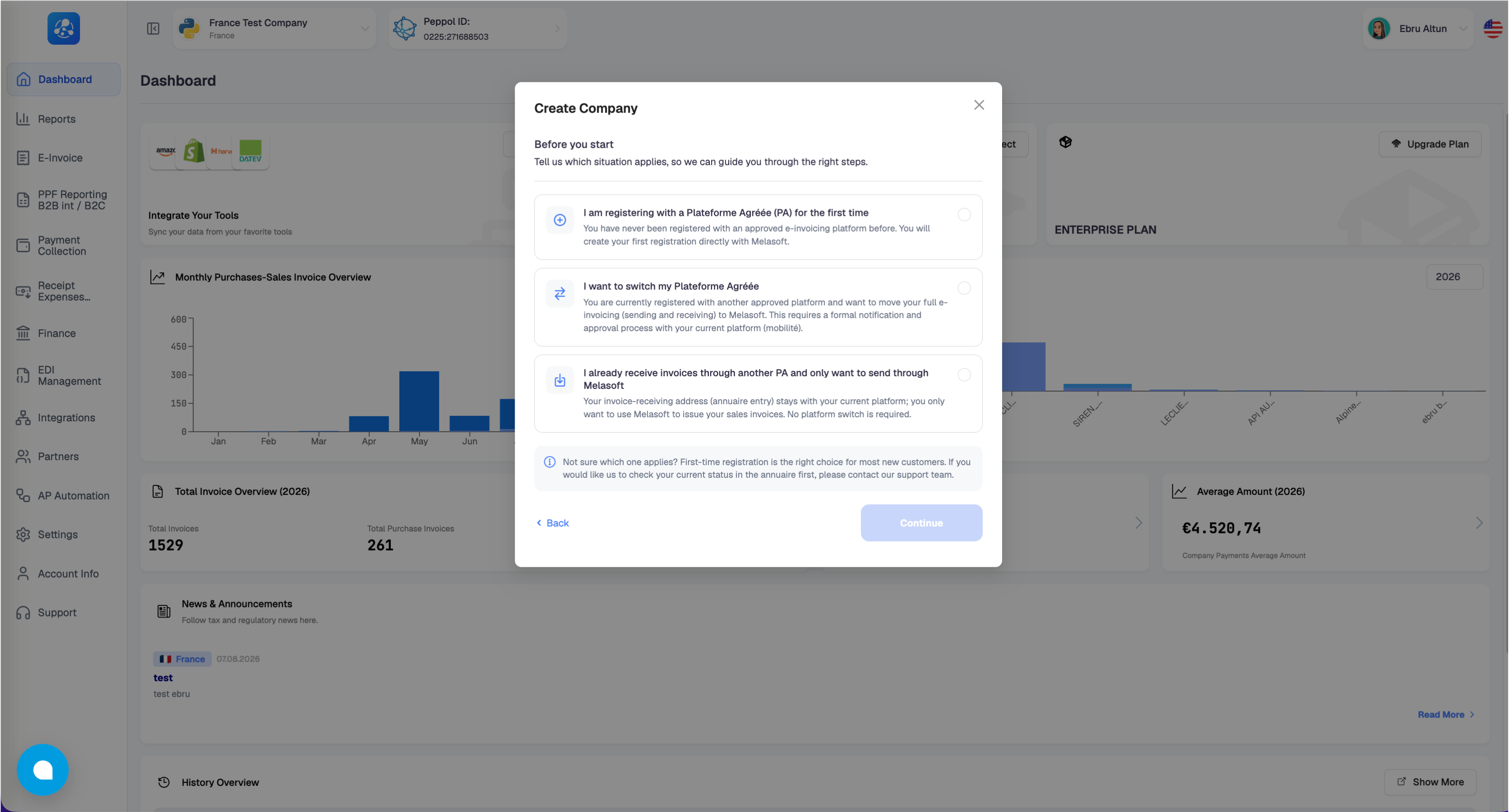
When you click Create Company, you're first asked which situation applies to you:
- I am registering with a Plateforme Agréée (PA) for the first time — choose this if you've never been registered with an approved e-invoicing platform before. You will create your first registration directly with Melasoft.
- I want to switch my Plateforme Agréée — choose this if you're currently registered with another platform and want to move all of your e-invoicing (sending and receiving) to Melasoft. This requires a formal notification and approval process with your current platform.
- I already receive invoices through another PA and only want to send through Melasoft — choose this if your invoice-receiving address should stay with your current platform, and you only want to use Melasoft to issue your sales invoices. No platform switch is required.
Not sure which one applies? First-time registration is the right choice for most new customers. If you'd like us to check your current status first, please contact our support team.
Step 2: Complete the Formal Agreement
The form adapts to the situation you selected in Step 1.
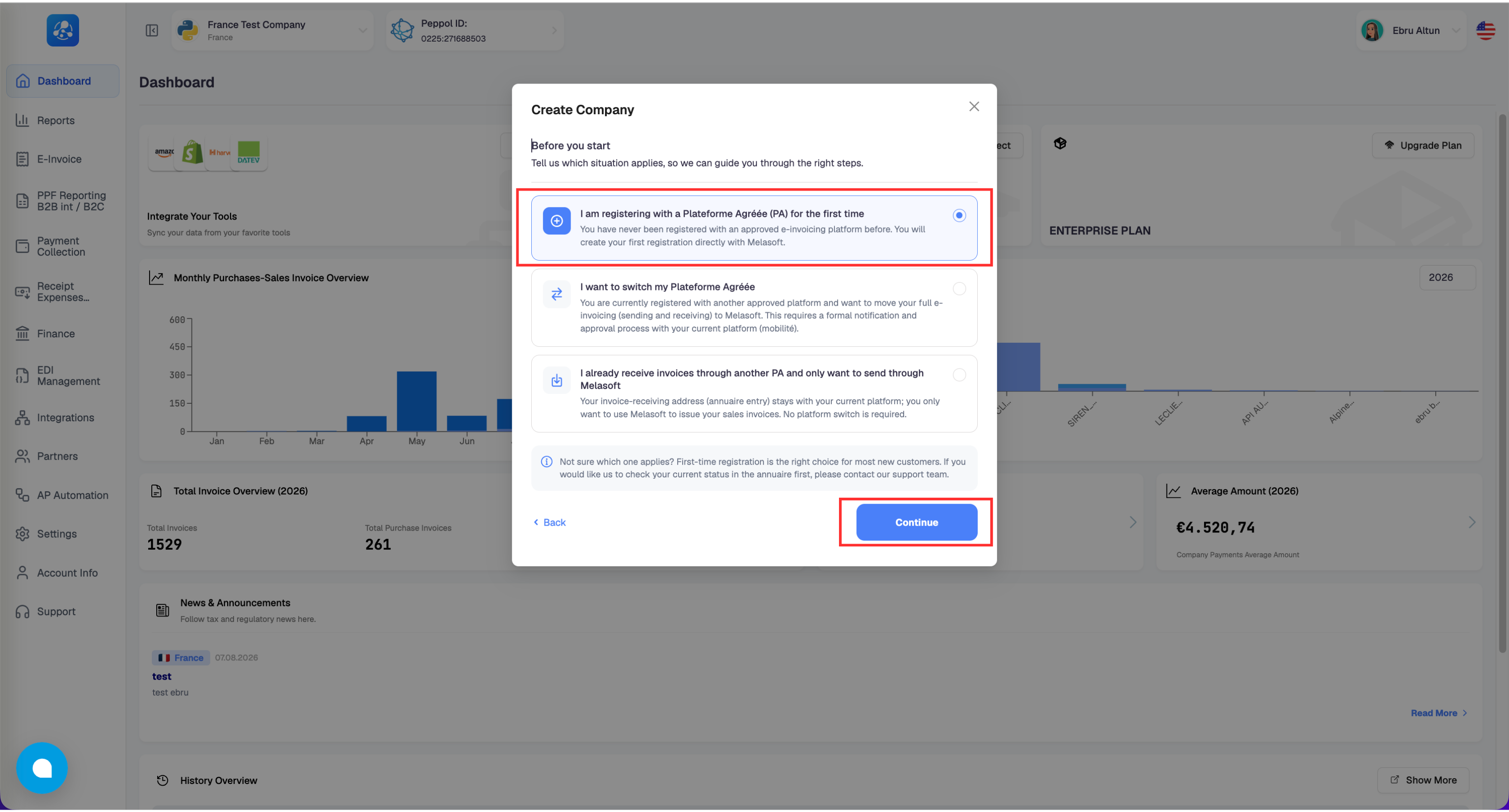
First-time registration
Select this option and click Continue.
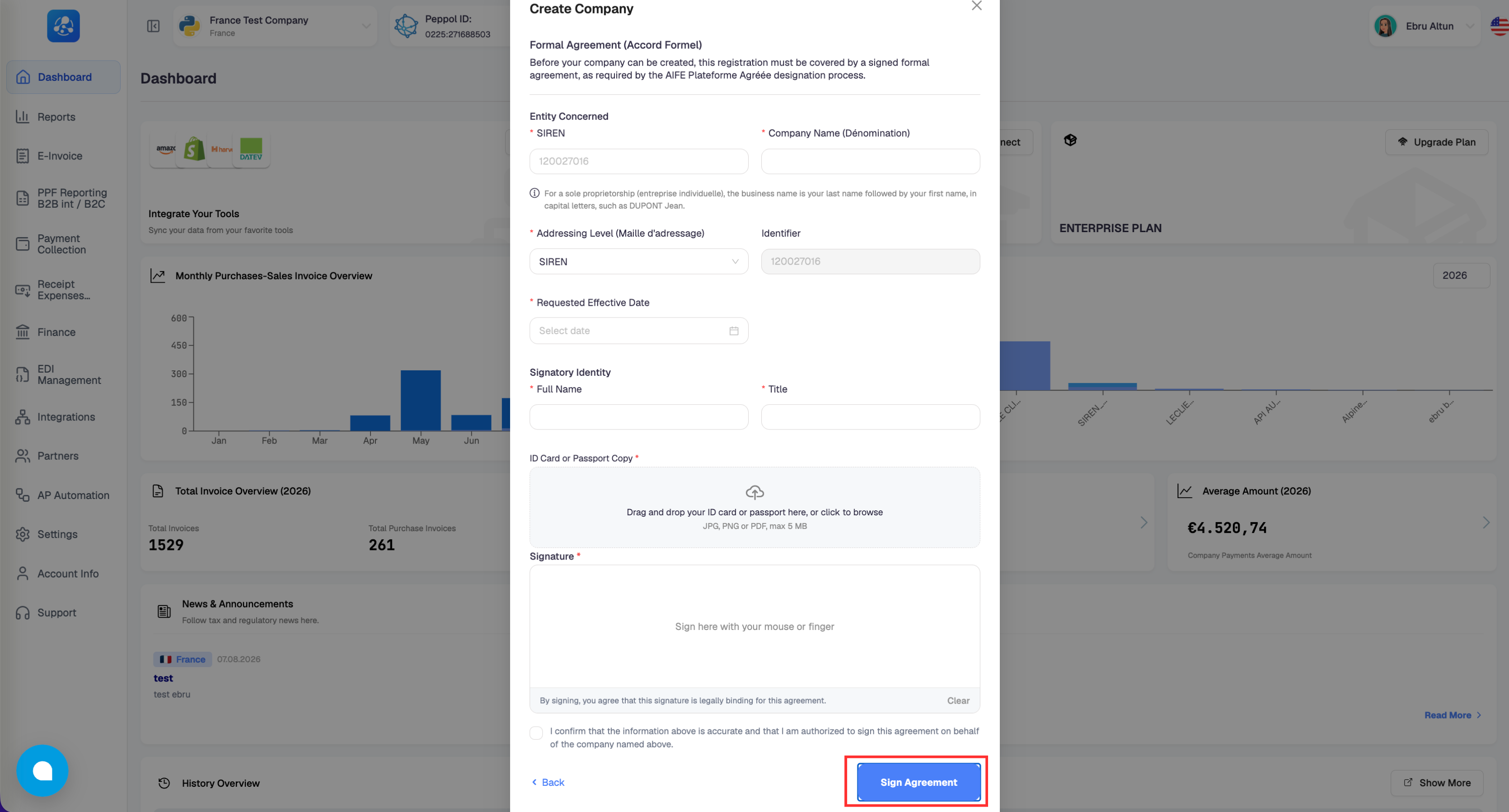
Fill in:
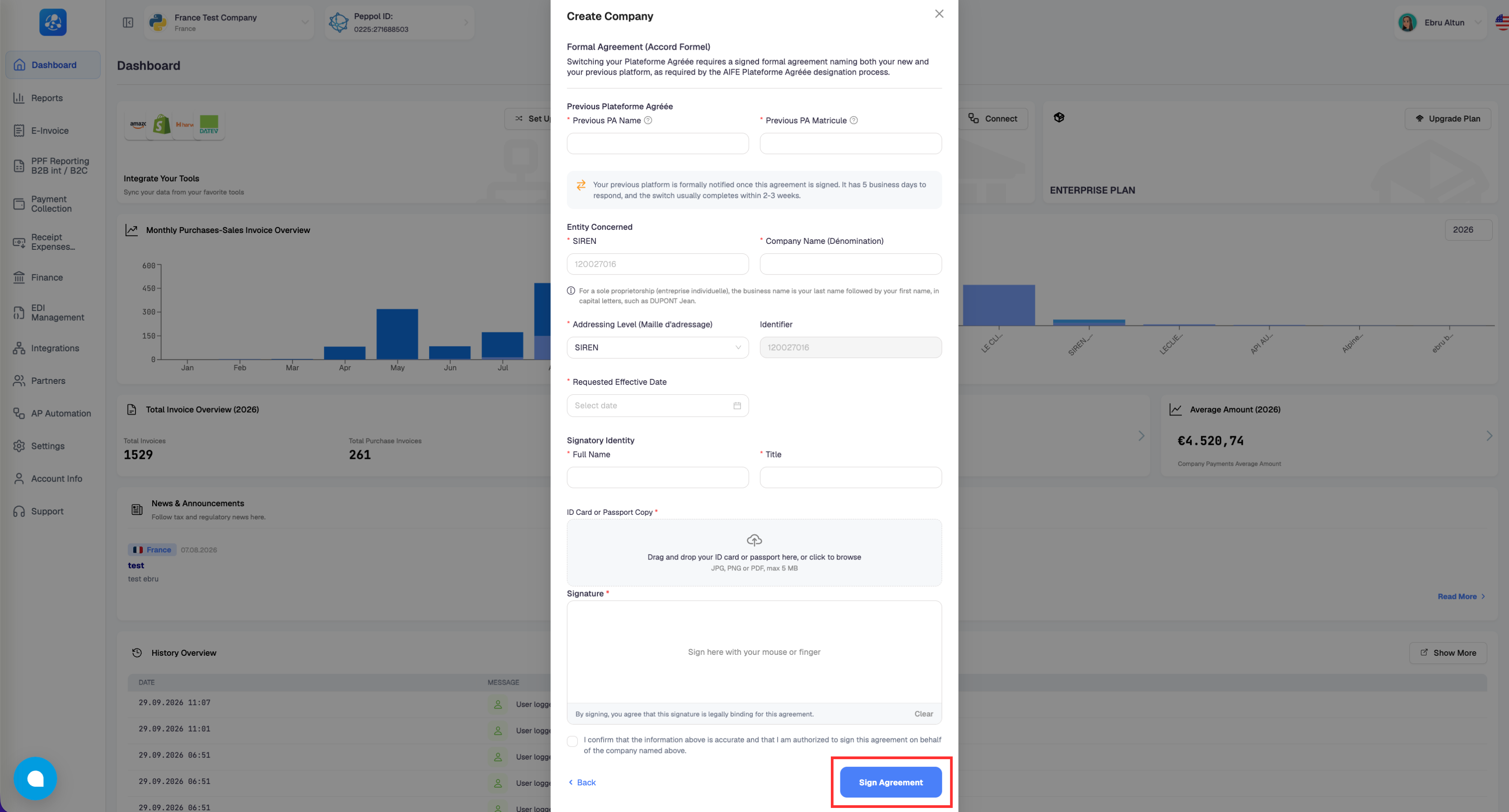
- Entity Concerned — your SIREN and Company Name (Dénomination). For a sole proprietorship (entreprise individuelle), enter your last name followed by your first name, in capital letters — for example, DUPONT JEAN.
- Addressing Level (Maille d'adressage) — defaults to SIREN.
- Requested Effective Date — the date you'd like this registration to take effect.
- Signatory Identity — the full name and title of the person signing on behalf of the company.
- ID Card or Passport Copy — upload a JPG, PNG, or PDF of the signer's ID (max 5MB).
- Signature — sign directly in the box with your mouse or finger.
Tick the confirmation checkbox and select Sign Agreement to continue.
Switching your Plateforme Agréée
Select this option and click Continue.
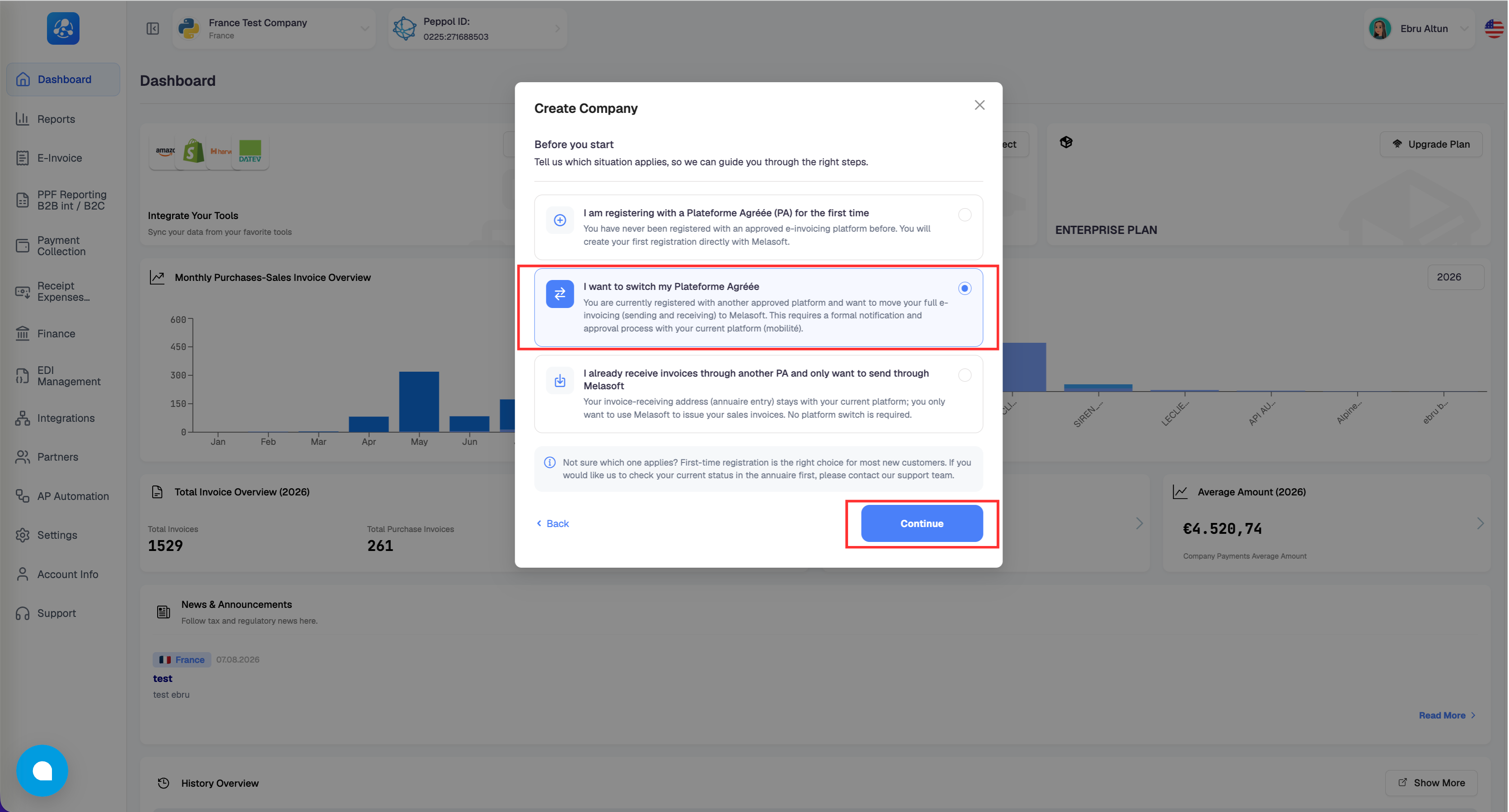
You'll see the same fields as above, plus a Previous Plateforme Agréée section at the top, where you enter your previous PA's name and its matricule (registration number).
Once you sign this agreement, your previous platform is formally notified. They have 5 business days to respond, and the switch usually completes within 2–3 weeks.
Sending invoices through Melasoft only
You'll fill in the same Entity Concerned, Signatory Identity, ID document, and signature fields. Since this option doesn't change where your invoices are received, you won't be asked for an addressing level or an effective date.
What happens after you sign
Signing the agreement doesn't create your company immediately — your request is first reviewed by our team. Once it's approved, you'll be able to send and/or receive invoices according to the option you selected, and you can download your signed agreement from your account.